If your Dell Latitude 5410 no longer lasts a full meeting, drops from 30% to 0% without warning,
or only works properly when plugged in, you’re probably wondering:
“Is it still worth replacing the battery, or should I buy a new laptop?”
In most cases, yes, it is absolutely worth replacing a Dell Latitude 5410 battery.
The 5410 is a solid business-class machine with enough performance for office work, remote learning,
and light professional use. A fresh battery can make it feel “new” again at a fraction of the cost
of a replacement laptop.
Ready to see all compatible Dell Latitude 5410 batteries in one place?
1. Signs your Dell Latitude 5410 battery needs replacing
Before spending money, it’s smart to confirm that the battery is the weak link, not
the charger or something else. Common symptoms include:
- Very short runtime: even light tasks drain the battery in under 1–2 hours.
- Sudden shutdowns: the laptop powers off at 20–40% with no warning.
- Windows battery warnings: messages such as “Consider replacing your battery”
or “Battery capacity is very low”. - Charging stuck at a low percentage: for example, never going above 60–80%,
even after hours on the charger. - Battery not detected: BIOS or Windows shows “No battery present”.
- Swollen battery (important): the bottom cover bulges or the touchpad/keyboard
looks lifted. In this case, stop using the laptop and replace the battery immediately.
You can also open the Dell Power Manager or Windows battery report to see the
design capacity vs. full charge capacity. If the full charge capacity has dropped far below
the original value, the battery is worn out.
2. Is it cheaper to replace the battery or buy a new laptop?
A new, business-grade laptop can easily cost several hundred pounds (or more), especially if you want
similar performance to the Latitude 5410. In comparison, a replacement battery is usually a small
fraction of that cost.
Replacing the battery is usually worth it if:
- Your Latitude 5410 still performs well for your daily tasks (office apps, browsing, video calls).
- The screen, keyboard and ports are in good condition.
- You prefer not to migrate software, data and settings to a new machine yet.
As long as the motherboard, SSD and cooling system are healthy, a new battery can add
1–3+ more years of practical life to your Dell Latitude 5410 for a relatively low cost.
3. Battery options for the Dell Latitude 5410
The Latitude 5410 is available with different internal battery capacities. Three common options are:
| Battery model | Capacity (Wh) | Typical use case |
|---|---|---|
| Dell 1V1XF | 42 Wh | Balanced everyday use, lighter weight |
| Dell R8D7N | 51 Wh | Longer battery life, ideal for mobile workers |
| Dell 3HWPP | 68 Wh | Maximum runtime, heavier multitasking on the go |
Below are example replacement batteries compatible with selected Dell Latitude 5410 configurations:
42Wh – Dell 1V1XF battery (compact, everyday use)
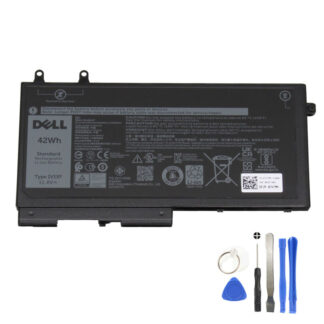
The 42Wh Dell 1V1XF battery
is a great choice if you mainly work near a desk but still need reliable unplugged time for meetings,
commuting or occasional travel.
- Ideal for light–medium office workloads.
- Helps keep the laptop weight and cost down.
- Good option if your original configuration also used a 42Wh pack.
51Wh – Dell R8D7N battery (extended daily runtime)
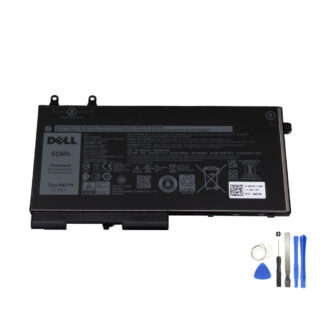
The 51Wh Dell R8D7N battery
provides more headroom for users who spend longer hours away from the mains.
- Longer battery life compared to 42Wh versions.
- Ideal for regular commuters, students and field workers.
- Good balance between runtime and overall system weight.
68Wh – Dell 3HWPP battery (maximum runtime)
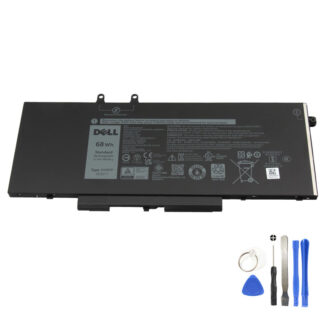
The 68Wh Dell 3HWPP battery
is designed for users who prioritise maximum unplugged time and work on the move for many hours.
- Best choice for long flights, all-day meetings or field work.
- Supports heavier multitasking and higher screen brightness for longer.
- Higher capacity means fewer charge cycles per day and potentially longer lifespan.
Not sure which capacity your Latitude 5410 uses?
Use the collection page to check all compatible options, or match the part number on your original battery.
4. How to check which battery your Dell Latitude 5410 has
Before ordering, it’s a good idea to confirm which battery type is currently installed:
- Check the part number on the old battery (if accessible): shut down the laptop,
remove the bottom cover, and look for codes like 1V1XF, R8D7N or 3HWPP. - Use Dell Support with your Service Tag: enter your Service Tag on Dell’s support
website to view the original configuration and battery information. - Compare capacities: if your original battery was 42Wh and you want longer runtime,
consider upgrading to a 51Wh or 68Wh compatible option (if supported by your configuration).
Matching the part number or capacity helps ensure an easy, drop-in replacement with no surprises.
5. DIY replacement vs professional installation
On the Latitude 5410, the internal battery is screwed to the chassis under the bottom cover.
For an experienced user or technician, replacing it is a fairly straightforward job:
- Power off the laptop and disconnect the charger.
- Remove the bottom screws and carefully lift the bottom cover.
- Disconnect the battery cable from the motherboard.
- Unscrew and remove the old battery pack.
- Install the new battery, reconnect the cable and reassemble the cover.
If you are not comfortable opening your laptop, it may be best to:
- Have the new battery fitted by a local repair shop, or
- Ask an IT technician at your workplace to perform the swap.
Either way, choosing a high-quality, correctly specified battery is the most important step.
6. After installing a new battery: calibration and care
To get the best experience from your new Dell Latitude 5410 battery:
- Perform a calibration cycle: charge to 100%, use the laptop on battery
down to around 10–20%, then recharge to 100% again. - Avoid extreme heat: high temperatures accelerate wear; keep vents clear
and avoid leaving the laptop in hot cars or direct sunlight. - Don’t store at 0%: if you won’t use the laptop for weeks, store it with
the battery around 40–60% charged. - Use the correct charger: a compatible Dell charger with the right wattage
helps protect the new battery and maintain healthy charging behaviour.
7. When is a new laptop a better idea?
There are situations where replacing the battery might not be the best investment:
- The laptop has other serious issues (overheating, random crashes, faulty motherboard).
- The screen, hinges or keyboard are badly damaged.
- Your workload has grown and you now need significantly more CPU/GPU performance
than the 5410 can provide.
If multiple components are failing or your performance needs have changed dramatically,
it may be smarter to upgrade the whole system. But if the Latitude 5410 still handles your
daily tasks well, a new battery is usually the most cost-effective way to extend its life.
8. Conclusion: is it worth replacing a Dell Latitude 5410 battery?
For most users, yes – replacing a Dell Latitude 5410 battery is absolutely worth it.
You keep a familiar, reliable machine and restore its mobility for far less than the price
of a new laptop.
- It solves sudden shutdowns and short runtimes.
- It can add years of usable life to your 5410.
- You can choose the capacity (42Wh, 51Wh or 68Wh) that best matches your work style.
If your Latitude 5410 is otherwise in good working condition, a high-quality replacement battery
is one of the best upgrades you can make.
Ready to bring your Dell Latitude 5410 back to life?
Compare different capacities and compatible part numbers on our dedicated 5410 battery page.