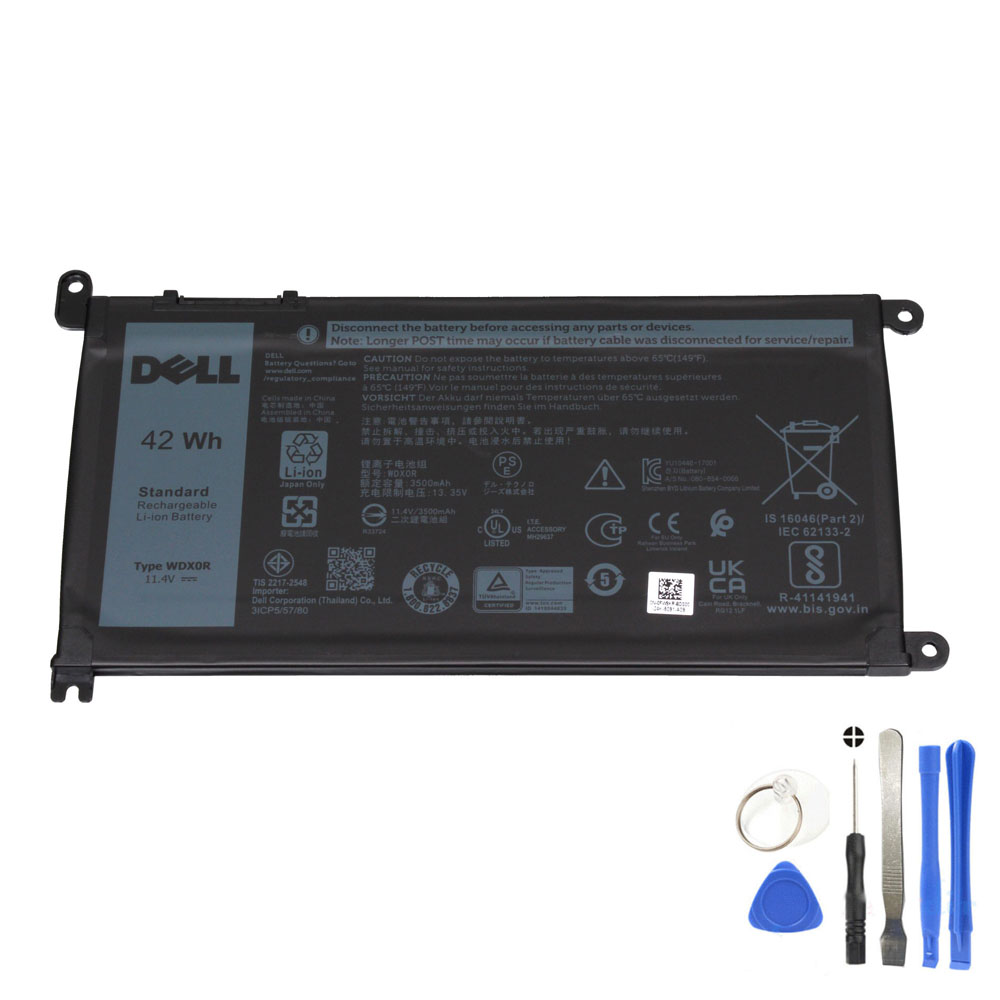
If you searched for Dell WDX0R 42Wh battery, you’re probably deciding whether a replacement is worth it. This guide gives practical “yes/no” criteria and the checks that prevent ordering the wrong Dell battery.
Is it worth replacing a Dell laptop battery?
Yes—most of the time, if your Dell laptop still runs well and your main problem is battery life or charging reliability. A new battery typically restores portability, reduces sudden shutdowns, and is cheaper than replacing the laptop—especially for popular Inspiron, Latitude, and Vostro models that use the WDX0R battery.
When replacing the battery makes the most sense
- Runtime is no longer usable: you only get minutes to 1 hour under light use.
- Random shutdowns: the laptop powers off even though the battery shows charge.
- Charging issues: stuck at a percentage, “plugged in not charging”, or charging starts/stops.
- Battery health warnings: BIOS/Support tools show poor health or “needs replacement”.
- Swelling: trackpad click changes, bottom cover bulges, or gaps appear (replace immediately).
When a battery replacement may NOT fix the problem
- Faulty charger / DC jack: intermittent charging even with a known-good battery.
- Motherboard power issues: laptop dies instantly even on AC power.
- Wrong battery model ordered: similar-looking Dell batteries can have different connectors.
WDX0R battery basics (so you know what you’re buying)
- Capacity: 42Wh
- Voltage: 11.4V
- Cells: 3-cell
- Common compatible part numbers: WDX0R / 0WDX0R, 03CRH3 / 3CRH3, 08YPRW / 8YPRW, 0T2JX4, 1RH5X, 0C4HCW, 451-BBVN, 451-BCBS, 451-BCRD (and more)
Before you buy: 60-second compatibility check
- Read your old battery label: look for WDX0R or a compatible Dell part number.
- Match voltage class: 11.4V should match your original battery label.
- Compare connector position: location + pin layout should match your original battery.
- Use Dell Service Tag as a cross-check: great for confirming compatible parts, but still verify the physical battery.
Compatible laptop series using Dell WDX0R (examples)
The WDX0R battery is commonly used across multiple Dell lines, including selected Inspiron 13/14/15/17, Latitude 11/13/14/15, and Vostro 14/15 models. Always confirm using your original battery label + connector shape.
FAQ
Is it worth replacing a Dell laptop battery?
Yes if your laptop still performs well and the main issue is short runtime, sudden shutdowns, or charging instability. Battery replacement is usually one of the most cost-effective repairs, especially for Dell Inspiron/Latitude/Vostro models that use WDX0R.
How do I know if my Dell needs a new battery?
Common signs include rapid draining, inconsistent percentage readings, “plugged in not charging”, unexpected shutdowns, or battery health warnings in BIOS/diagnostics. Swelling is an immediate replacement situation.
Will a new battery fix “plugged in, not charging”?
Sometimes. That message can also come from a weak charger, damaged DC jack, BIOS settings, or power-management issues. Confirm your charger is healthy and the battery model matches your original.