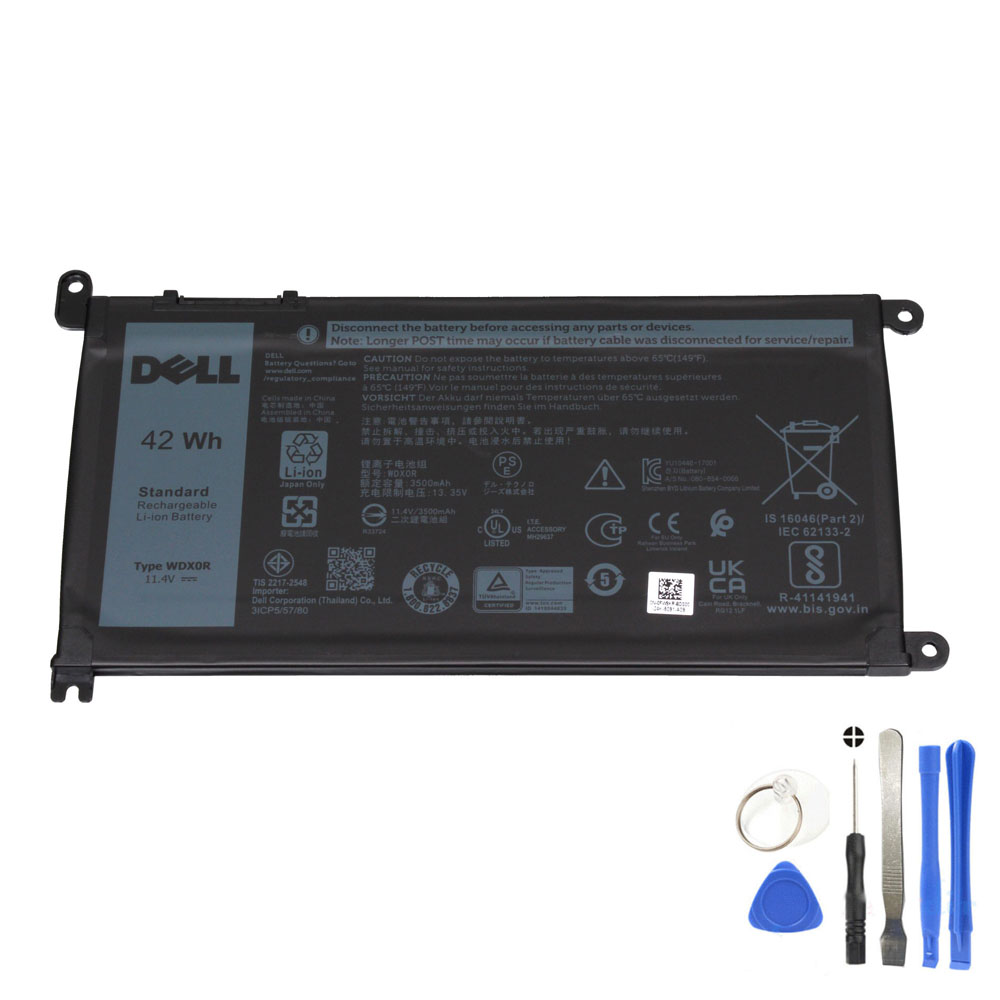
Dell laptops often have multiple battery options across the same “Inspiron/Latitude/Vostro” family. The goal is simple: match the battery model and connector, not just the laptop name.
How do I know which battery to buy for my Dell laptop?
Buy the battery that matches (1) your old battery model/part number, (2) voltage class, and (3) connector position + battery shape. Use the Dell Service Tag as a cross-check, but always confirm using the original battery label when possible. For many compatible models, that correct match is Dell WDX0R (42Wh, 11.4V, 3-cell).
The Dell battery buying checklist (do these in order)
- Start with the old battery label: look for WDX0R / 0WDX0R or a compatible Dell part number.
- Confirm voltage: match the voltage on your old battery (WDX0R is commonly listed as 11.4V).
- Confirm capacity class: your old battery may be listed as 42Wh (match the label, not guesses).
- Compare connector position: same location and pin layout as the original.
- Check laptop model as a secondary filter: ensure your Inspiron/Latitude/Vostro sub-model is in the compatibility list.
WDX0R compatible laptop families (examples)
- Dell Inspiron: selected 13/14/15/17 series (e.g., Inspiron 13 5368/5378/7378; Inspiron 14 5480/7460; Inspiron 15 5568/5570/7580; Inspiron 17 5770, etc.)
- Dell Latitude: selected 11/13/14/15 series (e.g., 3180/3190, 3300, 3390, 3400, 3480, 3490, 3500, 3580, 3590)
- Dell Vostro: selected 14/15 series (e.g., 3468, 5471, 5481, 5568, 5581, 3581/3582/3583)
Compatible part numbers (WDX0R family)
If your old battery label shows one of these, WDX0R is very likely the correct family:
- WDX0R / 0WDX0R
- 03CRH3 / 3CRH3
- 08YPRW / 8YPRW
- 0T2JX4 / T2JX4
- 1RH5X
- 0C4HCW / C4HCW
- 0CYMGM / CYMGM
- 0FW8KR / FW8KR
- 0FC92N / FC92N
- 0Y3F7Y / Y3F7Y
- 451-BBVN / 451-BCBS / 451-BCRD
What if the battery arrives but doesn’t work?
- Re-check the connector fit and ensure it is fully seated.
- Perform a power reset (shutdown, unplug, hold power 15–20 seconds), then charge again.
- Confirm the charger is healthy (a weak adapter can look like a battery issue).
- Compare your old battery label to the new one to confirm it’s the same family.
FAQ (People Also Ask style)
How do I know which battery to buy for my Dell laptop?
Match your original battery model/part number first, then confirm voltage and connector position. Use your Dell Service Tag to cross-check, but do not rely only on the laptop series name—sub-models can use different batteries.
Can I buy a higher Wh battery for longer runtime?
Only if Dell offered a compatible higher-capacity option for your exact chassis with the same connector and mounting points. Do not buy a different voltage or different physical design; it may not fit or work safely.
Why does my Dell show “unknown battery” after replacement?
This can happen due to a mismatched battery model, connector issues, BIOS/power management quirks, or a charger problem. Confirm the battery family (WDX0R), reseat the connector, and try a power reset.