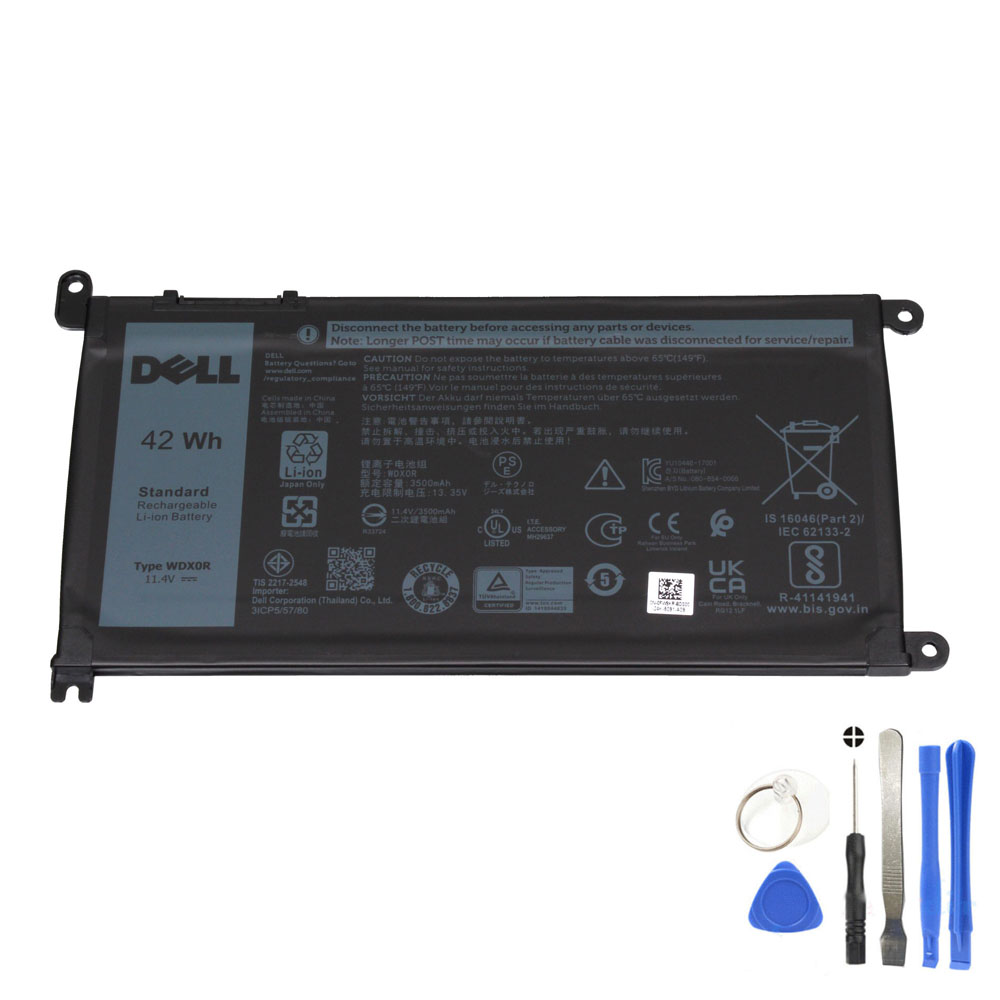
Dell battery naming can be confusing: one battery may be listed as WDX0R, 0WDX0R, or under Dell part/DP/N style numbers. Here’s how to identify your exact battery model reliably.
How do I know my Dell battery model?
The most reliable method is to read the battery label on your original battery. Look for the short model code (for example, WDX0R or 0WDX0R) and confirm voltage/capacity plus the physical connector position. Service Tag lookups are useful, but the label + connector match is the final confirmation.
Method 1: Check the battery label (best method)
- Shut down the laptop and unplug the charger.
- Open the back cover (if your model allows access).
- Locate the battery label and take a clear photo.
- Find the short model code (example: WDX0R) and any listed part numbers.
Method 2: Use Dell part numbers to confirm WDX0R
Many listings show multiple compatible part numbers for the same battery family. For WDX0R, you may see:
- Primary model: WDX0R / 0WDX0R
- Other compatible codes: 03CRH3 / 3CRH3, 08YPRW / 8YPRW, 0T2JX4, 1RH5X, 0C4HCW, 0CYMGM, 0FW8KR, 0FC92N, Y3F7Y, 451-BBVN, 451-BCBS, 451-BCRD (and more)
Method 3: Use Dell Service Tag (helpful cross-check)
Your Dell Service Tag can help confirm which battery part numbers were used for your configuration. It’s a strong cross-check when you can’t access the battery label easily. Still, batteries may have been replaced before—so confirm by checking the physical battery when possible.
Two common mistakes that cause wrong orders
- Ordering by laptop series name only: the same Inspiron/Latitude series can use different batteries depending on sub-model.
- Ignoring connector position: batteries can look similar but use different connector layouts.
Quick WDX0R ID checklist
- Battery label shows WDX0R or compatible part number
- Voltage class matches (WDX0R is commonly listed as 11.4V)
- Capacity around 42Wh (varies by listing, but match your original)
- Connector position and battery outline match your original battery
FAQ (People Also Ask style)
How do I know my Dell battery model?
Check the label on the original battery for the short model code (like WDX0R/0WDX0R) and compare voltage/capacity. Then confirm the connector position and battery shape match. Service Tag lookups help, but the label is the most reliable.
Is WDX0R the same as 0WDX0R?
They usually refer to the same battery model family in listings. Dell part codes can appear with or without a leading “0”. Still, confirm by matching your battery label and the physical connector layout.
Can I find the battery model in Windows?
Sometimes Windows and Dell utilities show battery information, but it may not always display the exact model code you need. The battery label remains the best source for accurate identification.